Buy an Arduino starter kit if you want to build projects quickly with tutorials and a large online community. Choose one with an Uno-compatible board and a project book; Arduino sells an official Starter Kit in this format. Buy a structured electronics learning kit if you want to understand how circuits work: why a component is chosen, what the signal looks like, and how to fix a circuit that fails.
If quick projects are the goal, the best Arduino starter kit is the one with the clearest project guide, not the most parts. If understanding is the goal, the better buy is a different kind of kit. The rest of this guide shows how to tell which one you need.
What is an Arduino starter kit?
Arduino is an open-source electronics platform built around simple microcontroller boards and a free programming environment. A typical Arduino starter kit includes a board such as the Arduino Uno, a breadboard, jumper wires, LEDs, resistors, buttons, a few sensors and motors, and a project book or online tutorials.
You wire a circuit from a diagram, upload a sketch (a short program written in Arduino’s C++-based language), and an LED blinks, a motor turns, or a sensor reading appears on screen. It is a fast, rewarding start.
What is a structured electronics learning kit?
A structured electronics learning kit is built around a curriculum, not a list of projects. It takes you through circuit principles, analog electronics, and measurement first, then has you program a microcontroller to work with hardware you already understand.
The board is not what makes the difference. Both an Arduino Uno and an RP2040 board can read an analog voltage, but neither teaches you how to shape the signal that reaches the analog input pin. The course does. In the FE11 audio projects, for example, the signal path runs from sound through an analog front end, which the course has you measure, and only then into the analog-to-digital converter and the RP2040.
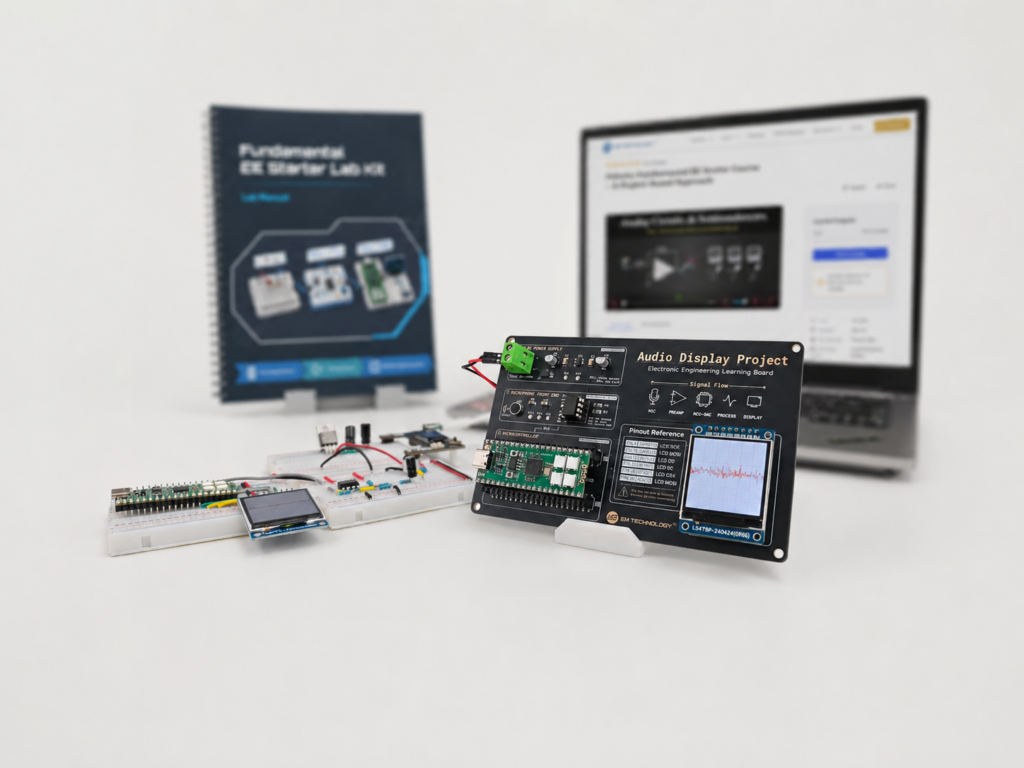
The Fundamental EE Starter (FE11) is an example. It uses the RP2040 microcontroller and MicroPython, and it combines real hardware, a printed lab manual, and online lessons into one learning path.
Arduino starter kit vs electronics learning kit: how do they compare?
| Feature / Aspect | Typical Arduino starter kit | Structured electronics learning kit (FE11) |
|---|---|---|
| Main goal | Build projects quickly | Understand how electronic systems work |
| How you learn | Follow project tutorials | Learn the principle, build, measure, then program |
| Electronics theory | Brief, explained project by project | Covered in a set sequence: circuits, analog design, and measurement |
| Language usually taught | Arduino language (based on C++) | MicroPython on the RP2040 |
| Community and tutorials | Very large | Course materials and support from the kit maker |
| Analog and measurement | Usually limited | A core part of the course |
| What comes next | More modules and shields | A learning path into digital hardware and embedded systems |
| Best for | Hobby makers, quick-project builders, and coding fans | Beginners who want real foundations and students heading into engineering |
When is an Arduino starter kit the better choice?
An Arduino kit is the better buy in several situations.
- You want quick, visible results. If the goal is a weekend project that works, Arduino gets you there fast.
- You want a huge community. Arduino has been around for a long time, and almost any project you can imagine already has a tutorial, a forum thread, or a video.
- You already know what you want to build. If you have a specific gadget in mind, an Arduino board and the right modules may be all you need.
- You are buying for a teen under 14 who already enjoys coding. Simple Arduino projects suit beginners who are not ready for a structured course. FE11 is recommended from age 14.
What should a good Arduino starter kit include?
If you decide on Arduino, check the kit for these before you buy.
- An Uno-compatible board and USB cable that work with the free Arduino software.
- A full-size solderless breadboard and plenty of jumper wires, so you can build without soldering.
- Resistors in common values, including the ones the LED projects call for.
- A few sensors and at least one display, such as an LCD, so projects can read and show real data.
- A project guide that explains each circuit, not only where each wire goes.
- A clear next step, such as more advanced projects in the same guide.
When is an electronics learning kit the better choice?
- You want to understand, not only assemble. A wiring diagram tells you which resistor to put in series with an LED. A structured course shows you how to work it out: on a 3.3 V RP2040 board, with about 2 V across a red LED, 1.3 V is left for the resistor. For a current of about 4 mA, Ohm’s law gives 1.3 V divided by 0.004 A, or about 325 ohms, so a standard 330-ohm resistor works.
- You are preparing for engineering study. Students heading into electrical or computer engineering benefit from circuit analysis, analog electronics, and measurement, which many project-based kits only touch on.
- You have tried Arduino and hit a wall. A project copied from a diagram can still leave you stuck when it stops working. Fixing it takes circuit fundamentals, not more code.
- You prefer Python and want a full course. FE11 teaches MicroPython inside an electronics curriculum, which suits learners who already know some Python or find Python an easier first language.
What does the Fundamental EE Starter include?
FE11 follows one sequence: learn the principle, build the circuit, measure it, then program it.
- A systematic curriculum. A printed lab manual and online learning materials, self-paced, covering circuits, analog electronics, signals, and measurement, then microcontroller programming.
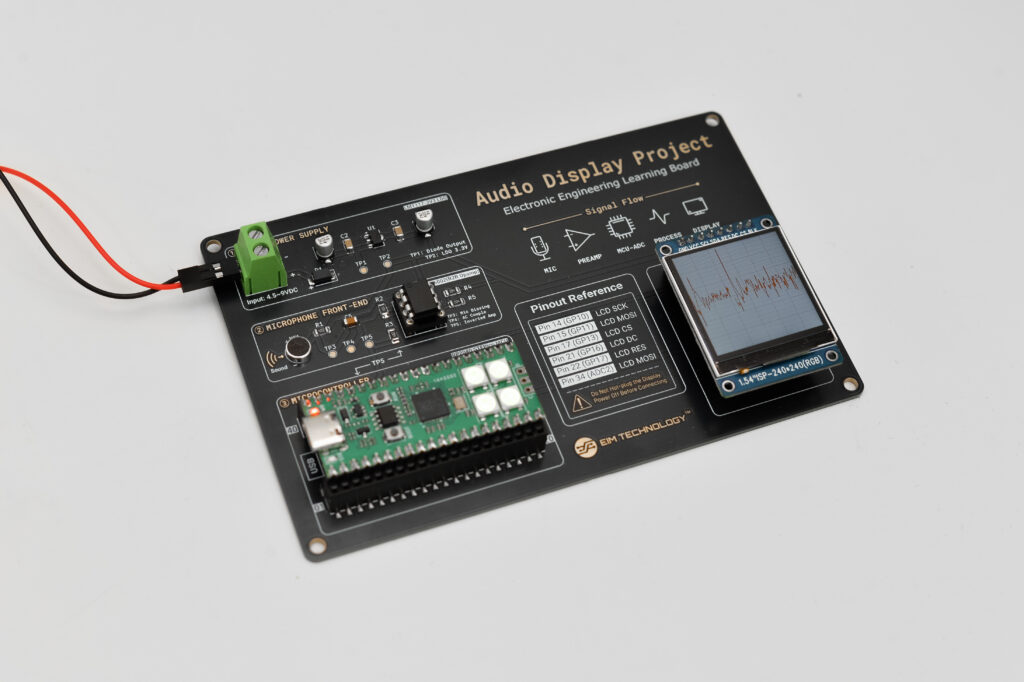
- Dedicated hardware in two sets. Breadboards with through-hole components and ICs for learning, plus an integrated, fully soldered surface-mount project PCB for durable applications. The kit also includes boards, a display, power components, and accessories.
- A Pico-compatible board. The STEPICO RP2040 board is pin-compatible with the Raspberry Pi Pico, uses USB-C, and adds four on-board RGB LEDs.
- Real applications. The same hardware runs projects such as an audio oscilloscope, a spectrum analyzer, a particle sandbox, and a breathing trainer.
- Feedback when you want it. Lab submissions are optional, and you can submit results through the learning platform for feedback from the EIM engineering team.
Fundamental EE Starter, FE11
For learners who want a structured way to build that habit, the Fundamental EE Starter kit (FE11) follows one connected path through circuits, analog design, microcontrollers, PCBs, and guided projects, with an online learning platform alongside the hardware. AI can explain each concept along the way, while the kit keeps the learning grounded in real circuits.
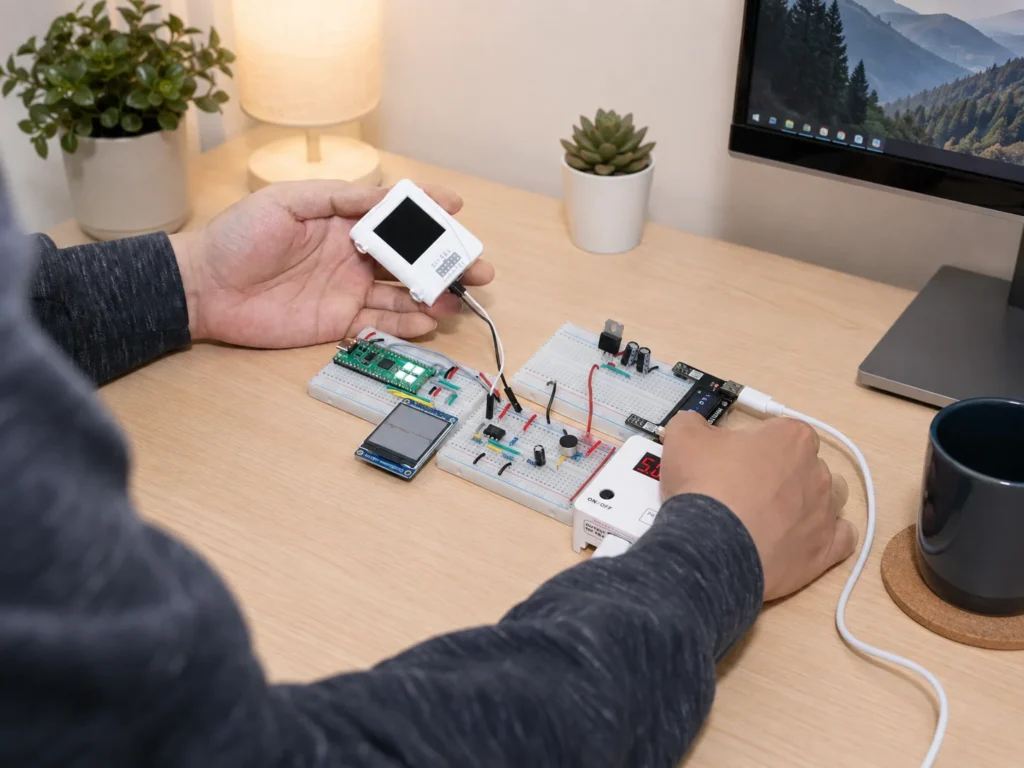
No previous electronics or programming experience is required. Basic algebra and introductory physics help. FE11 is recommended for ages 14 and up (Grade 9 and above). EIM hardware is also used in university labs, STEM programs, and engineering workshops.
What mistakes do beginners make when choosing a starter kit?
- Counting components instead of checking the learning path. A kit with hundreds of parts and no sequence teaches less than a smaller kit that tells you what to build next and why.
- Assuming coding is the hard part. For many beginners, the hard part is understanding what the circuit is doing. Coding skills transfer between platforms. Circuit intuition is what lets you fix things.
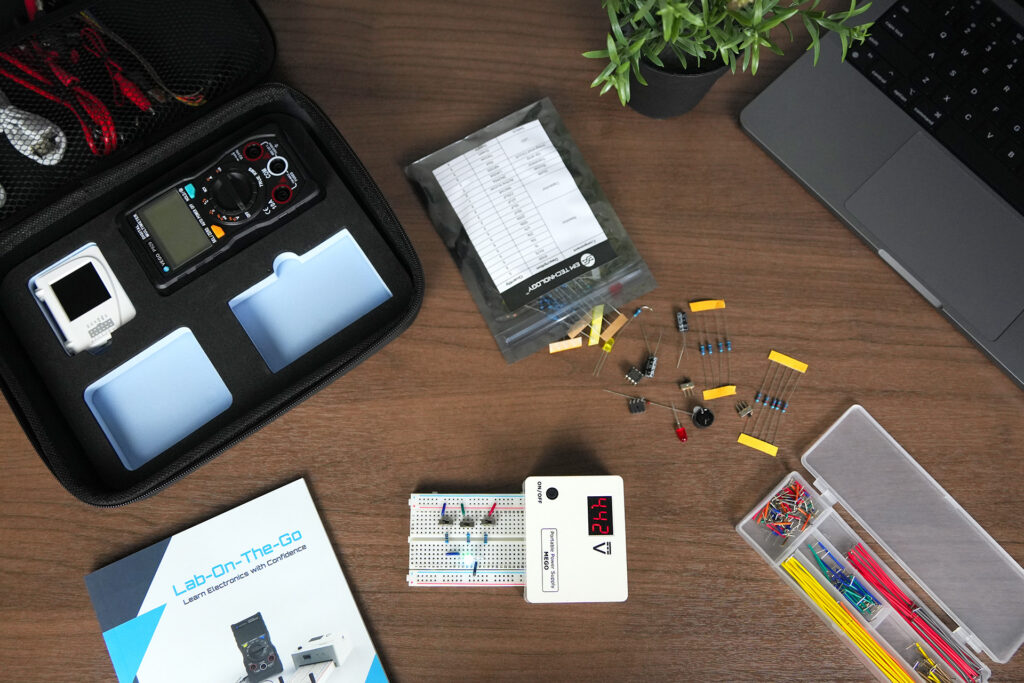
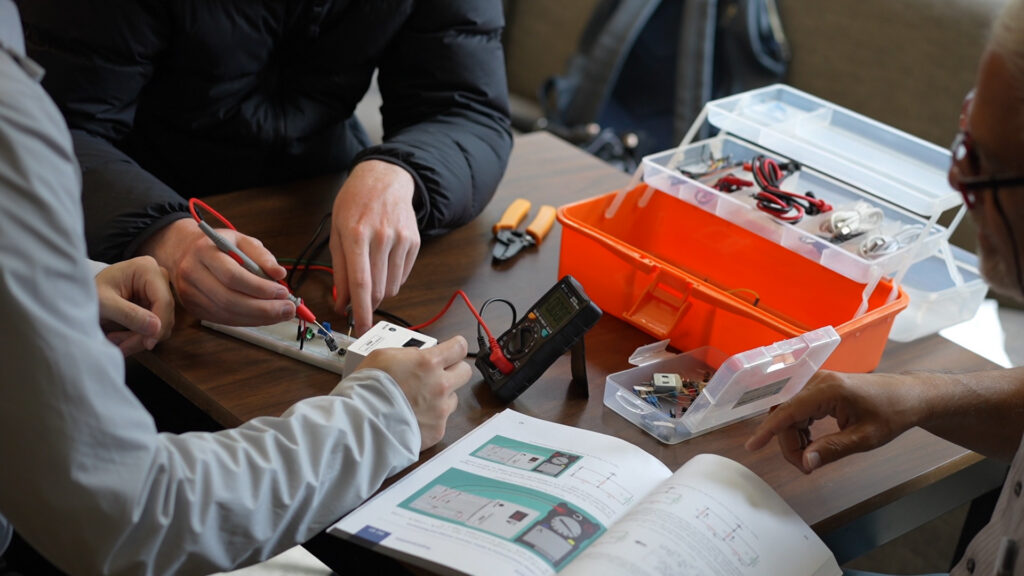
- Never measuring anything. If you cannot see the voltage or the waveform, you are guessing. Measurement is one of the four steps in the FE11 sequence. For dedicated instruments, Lab-on-the-Go, sold separately, pairs with FE11 and adds oscilloscope, signal generator, power supply, and multimeter functions.
- Buying for the project, not the goal. A robot car kit is fun. If your goal is engineering, choose the kit that builds the skills you will use for years.
Frequently asked questions
What is the best Arduino starter kit for beginners?
For a beginner who wants to build projects quickly, choose a well-documented kit with an Uno-compatible board and a clear project book or guide. Arduino’s official Starter Kit is one example. If your real goal is to learn electronics, a structured learning kit such as FE11 is the better buy, for the reasons in the comparison table above.
Is Arduino good for learning electronics?
Yes for building and programming projects, and less so for circuit fundamentals. The Arduino platform itself can go deep: its microcontroller can be programmed down to the register level. The limit is the typical starter kit format: copy the wiring, upload the code, see the result. That format teaches less about circuit theory, analog circuit behavior, and measurement. A structured electronics kit fills that gap.
What are good Arduino alternatives for beginners?
Boards based on the RP2040 microcontroller, such as the Raspberry Pi Pico and Pico-compatible boards, are a popular alternative and can be programmed in MicroPython. FE11 uses a Pico-compatible RP2040 board inside a full electronics curriculum. For project ideas on this platform, see Raspberry Pi Pico Projects for Beginners.
Can adults use these kits?
Yes. Both Arduino kits and structured learning kits suit adults. Adults who want a deeper path than tutorial projects can read our guide to the best electronics starter kits for adults.
Should I learn Arduino before FPGA?
For most beginners, yes: start with a microcontroller, such as an Arduino or the RP2040 board in FE11. EIM’s next kit, FE22 (digital and embedded), goes further into MCU and FPGA development and is launching soon. See FPGA Board vs Arduino for how the two differ.
Start with the kit that matches your goal
If you want to make projects fast, start with Arduino. If you want to understand electronics and build skills that carry into engineering, start with the Fundamental EE Starter: real hardware, a structured curriculum, and projects that connect into one working system.

EIM TECHNOLOGY
Founder & Engineering Education Innovator
Daniel Cao is the Founder of EIM Technology and holds a Master of Applied Science in Engineering. With experience in engineering research, product development, PCB design, and technical education, he is the author of several books on electronics engineering. His work focuses on developing practical learning systems that integrate engineering hardware, lab instruments, curriculum, and project-based learning. Through EIM Technology, Daniel aims to make electronics and computer engineering more accessible and engaging, helping students build real experience in designing, measuring, testing, and troubleshooting electronic systems.